You need Choose 7-Zip. Why? History, Benefits, Pros & Cons
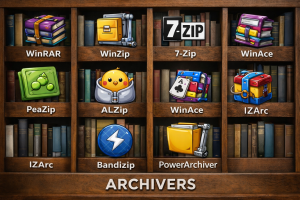
When we talk about file compression software, most people immediately think about popular names like WINRAR, WINZIP. But one tool that has quietly built a strong reputation among professionals and everyday users alike is 7-Zip.
Unlike flashy commercial programs, 7-Zip doesn’t rely on aggressive marketing. Instead, it has earned trust through performance, reliability, and the simple fact that it works — and works well. Before we dive into the reasons why you should choose it, let’s take a short look at its history.
A Brief History of 7-Zip
7-Zip was created in 1999 by Russian software developer Igor Pavlov. All available compression tools were commercial and required paid licenses. Pavlov wanted to create a powerful but free and open source.
The name “7-Zip” comes from its native archive format, 7z, which was designed to provide a much higher compression ratio than traditional ZIP files.
Over the years, 7-Zip grew steadily in popularity, especially among developers, IT professionals, and power users. 7-Zip was mostly focused on compression efficiency and security.
It remains one of the most downloaded archive tools for Microsoft Windows, and it continues to receive updates and security improvements.
Why 7-Zip Still Matters Today
Today, many software tools have moved to subscription models. Some add advertisements, others limit features unless you upgrade to PRO, PREMIUM versions. But 7-Zip still continue to follow its philosophy:
- Completely free
- No ads
- No subscriptions
- No hidden features
That consistency builds trust. This is a list of never-changed features of 7-Zip.
1. Is it really free? No tricks?
Let’s be honest. Many “free” programs are not really free in reality. They show pop-ups, limit functionality, or constantly remind you to upgrade, offering some other options.
7-Zip does none of that.
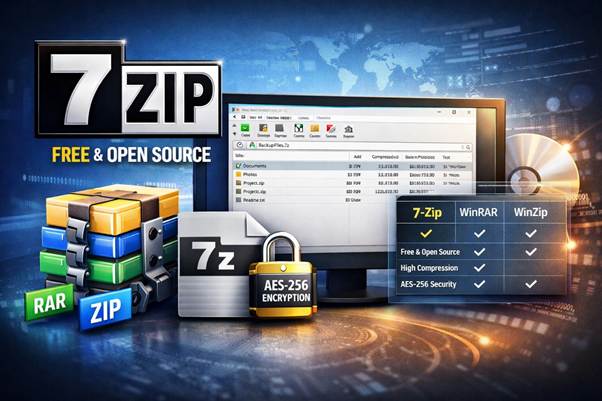
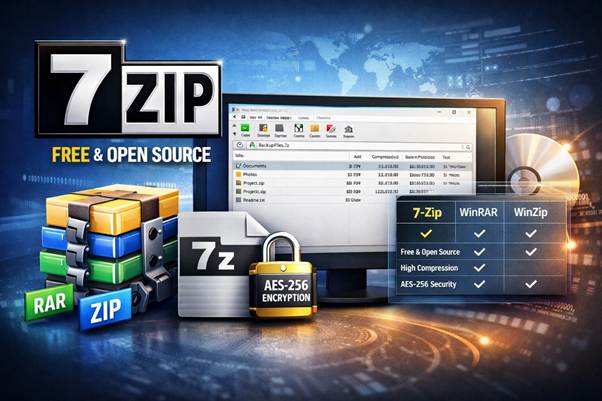
You need just download, install and use all features forever. Unlike WinRAR, which technically requires a license after the trial period, or WinZip, which is fully commercial, 7-Zip is free for both personal and business use. It is its main strategy.
Possibly, it comes from the past of a developer who could not buy commercial software and came to the decision to develop his own.
2. Excellent Compression Performance
This is where 7-Zip really shines. Its 7z format uses advanced LZMA and LZMA2 compression algorithms. We’ll cover these algorithms in more detail in future articles. Using this type of compression offers several benefits:
- Smaller archive sizes
- Better compression for large files
- More efficient storage
If you frequently back up data, upload files to your website, or send large files by email, this makes a real difference. Smaller files mean faster transfers, reduced storage space, lower bandwidth usage, lower hosting costs, and easier email delivery.
Real-world tests show that 7-Zip produces smaller archives than standard ZIP files and often competes strongly with the RAR format.
3. Strong Security You Can Trust
In today’s digital world, security is not optional.
7-Zip supports AES-256 encryption — a standard used worldwide for secure data protection. When you password-protect an archive:
- Files inside are encrypted
- You can also encrypt file names
- Unauthorized users cannot see content
This is especially useful if you send contracts, financial data, or private backups over the internet.
For a free tool, this level of encryption is impressive.
4. Supports Almost Every Popular Format
One of the most frustrating experiences is receiving a file you cannot open. Fortunately, 7-Zip supports a wide range of formats.
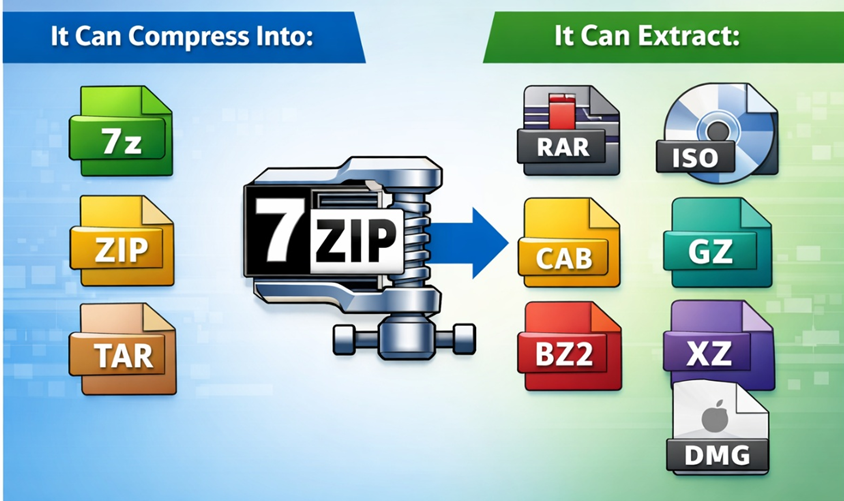
It can compress into:
- 7z
- ZIP
- TAR
It can extract:
- RAR
- ISO
- CAB
- GZIP
- BZIP2
- XZ
- DMG
Even if you don’t use 7z format yourself, 7-Zip can act as a universal extractor.
5. Lightweight and Fast
Some archive tools today feel heavy. They install background services, add cloud integrations, and include extra features you may never use—there’s no need to pay for features you don’t need.
7-Zip stays simple:
- Small installation size
- Minimal RAM usage
- Fast performance
- No background processes
It integrates directly into the Windows right-click menu, making daily use quick and convenient.
6. Great for Advanced Users (But Simple for Beginners)
One of the nice things about 7-Zip is that it scales with your needs.
If you’re a beginner:
- You can right-click and extract
- You can create simple archives
If you’re an advanced user:
- You can use command-line tools
- You can automate backups
- You can integrate it into scripts
This flexibility makes it suitable for both home users and IT professionals.
Pros and Cons of 7-Zip
Let’s look at the full picture.
Pros
1. 100% Free and Open Source
No payments. No subscriptions. Full access.
2. High Compression Ratio
Often better than ZIP and competitive with RAR.
3. Strong AES-256 Encryption
Secure file sharing and backups.
4. Wide Format Support
Works with most popular archive formats.
5. Lightweight
Does not slow down your system.
6. No Ads or Annoying Popups
Clean and distraction-free.
7. Reliable and Mature
Over 25 years of development and stability.
Cons
1. Old-Looking Interface
The design feels outdated compared to modern commercial software.
2. No Built-In Cloud Integration
No direct Google Drive or Dropbox features.
3. Cannot Create RAR Archives
It can extract RAR, but not create them.
4. Limited Official Support
Community-based help rather than premium support teams.
Who Should Choose 7-Zip?
7-Zip is perfect for:
- Students
- Bloggers handling downloadable files
- Developers
- IT administrators
- Businesses that want cost-effective tools
- Anyone who values performance over appearance
If you care about efficiency and security more than design polish, 7-Zip is an excellent choice.
Who Might Prefer Something Else?
You might prefer alternatives if:
- You want a modern visual interface
- You need built-in cloud features
- You require RAR archive creation
- You need enterprise-level technical support
For most users, however, those features are not essential.
Final Thoughts
What makes 7-Zip special is not flashy design or marketing. It’s consistency.
Since 1999, it has followed the same philosophy:
- Free
- Powerful
- Secure
- Simple
In a time when many software companies push subscriptions and upsells, 7-Zip remains refreshingly straightforward.
If your goal is reliable compression, strong encryption, and zero cost, 7-Zip is one of the smartest choices you can make.